Werbung
Zuletzt erstellte Filmseiten
Kommentare über diesen Film| Autor | Mitteilung |
|---|---|
|
◊ 2006-02-07 17:30 |
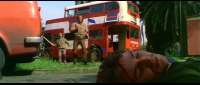
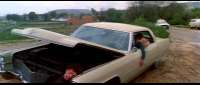
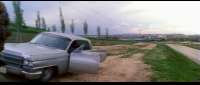
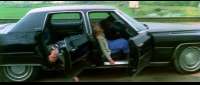
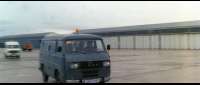
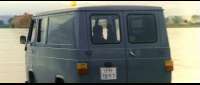
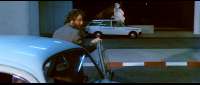
Pictures look a little too height, the wheels are not round ![]() ratio should be 2.35 rather than 1.85, I guess... Especially visible on the Chrysler picture ![]() |
|
◊ 2006-02-07 17:34 |
I haven't adjusted or changed any picture...this is how it plays ..from an original DVD.! (..More pictures from this movie later..+ the final pics for New avengers.!) -- Last edit: 2006-02-07 17:35:48 |
|
◊ 2006-02-07 17:36 |
Yes but it should clearly be adjusted ![]() |
|
◊ 2006-02-07 17:54 |
I never adjust my PC..I just play the movies..as they come.! (It's set up how i like It ..& i don't want to mess it up.!!) ![]() |
|
◊ 2006-02-07 17:58 |
Usually it is done automatically I like it when the wheels are round, so I check that the ratio is correct and adjust if needed (easy to see with wheels, a round logo like Universal's logo, or even when you see that actors seem too fat or too thin ) -- Last edit: 2006-02-07 18:02:50 |
|
◊ 2006-02-07 18:40 |
I have a similar problem. The display when watchin movies is not distorted but with some wide screen movies the capture is distorted. They have to be corrected after capture. I don't know why this happens only on some movies. I can't find any way to adjust the capture mode to correct the problem. It makes more work after the capture. |
|
◊ 2006-02-07 19:27 |
maybe depending on the programm used? I've never had the pb with InterVideo WinDVD till now... |
|
◊ 2006-02-07 19:30 |
Could be the program. I use Power DVD for watching and captures. |
|
◊ 2006-02-07 20:18 |
PowerDVD has often the problem that it makes captures bigger than the 720-pixel-wide original DVD picture, but I did not know that it had the ratio problem too. But the DVD ratio problem for captures also comes with Media Player Classic (that I use), though when watching the movie the ratio is good. -- Last edit: 2006-02-07 20:18:22 |
|
◊ 2006-02-07 22:44 |
I'm still using power dvd. |
Kommentar hinzufügen